14 avril 2026
New
Support suite
Introducing: Tickets in Featurebase
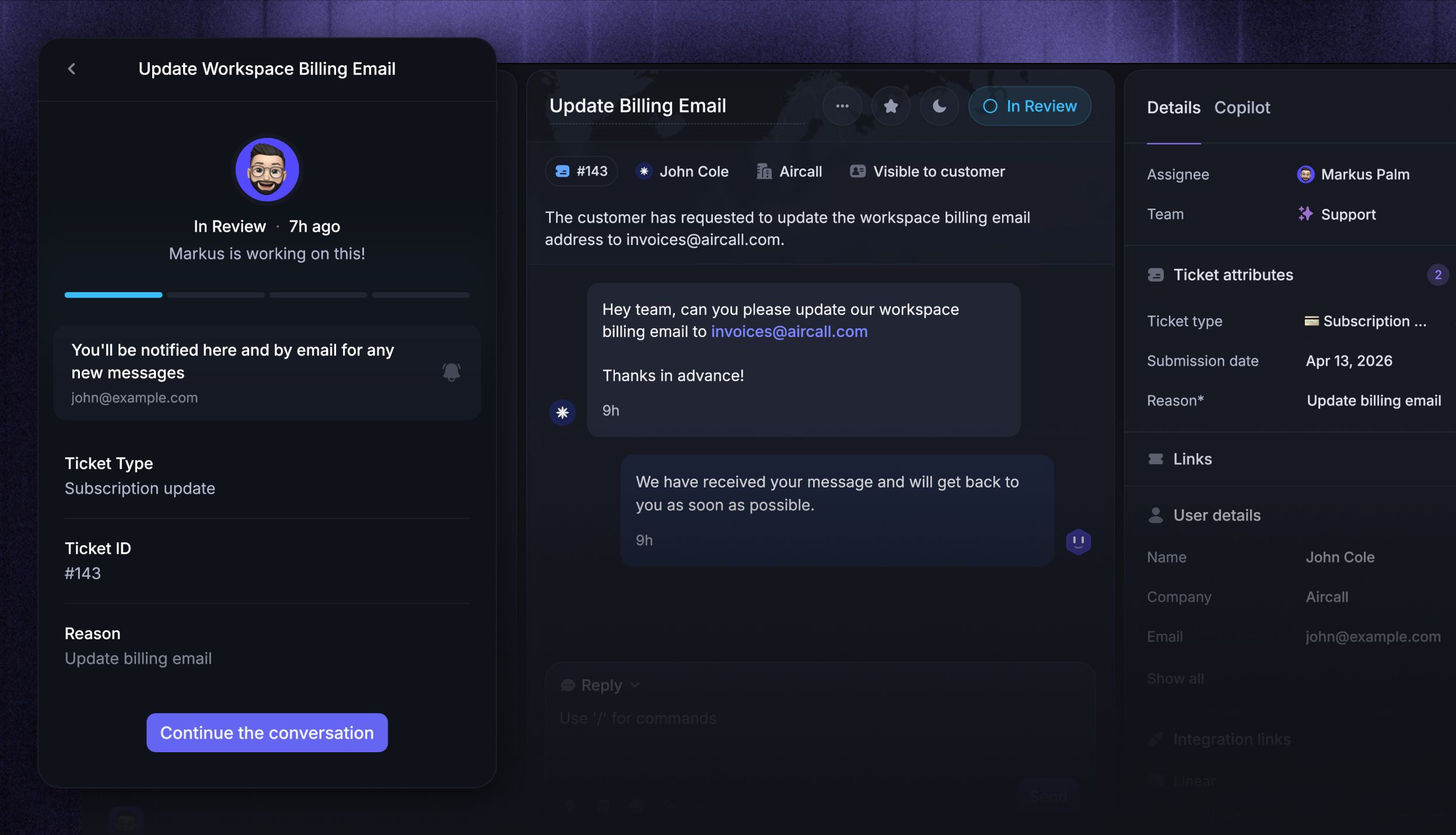
Not every customer issue is a quick chat. Some take time, need input from multiple teams, or affect many customers at once. That's where tickets come in.
Tickets let you turn conversations into structured, trackable work items with statuses, assignees, and custom fields - so your team stays organized and your customers stay in the loop throughout the entire resolution process.
Your Featurebase Inbox now handles both:
Conversations - for simple queries that can be handled quickly (e.g. "How do I delete tags?")
Tickets - for complex async queries that take time, require investigation, or need collaboration (e.g. "My bill is incorrect, please issue a refund.")
Three ticket types for every workflow
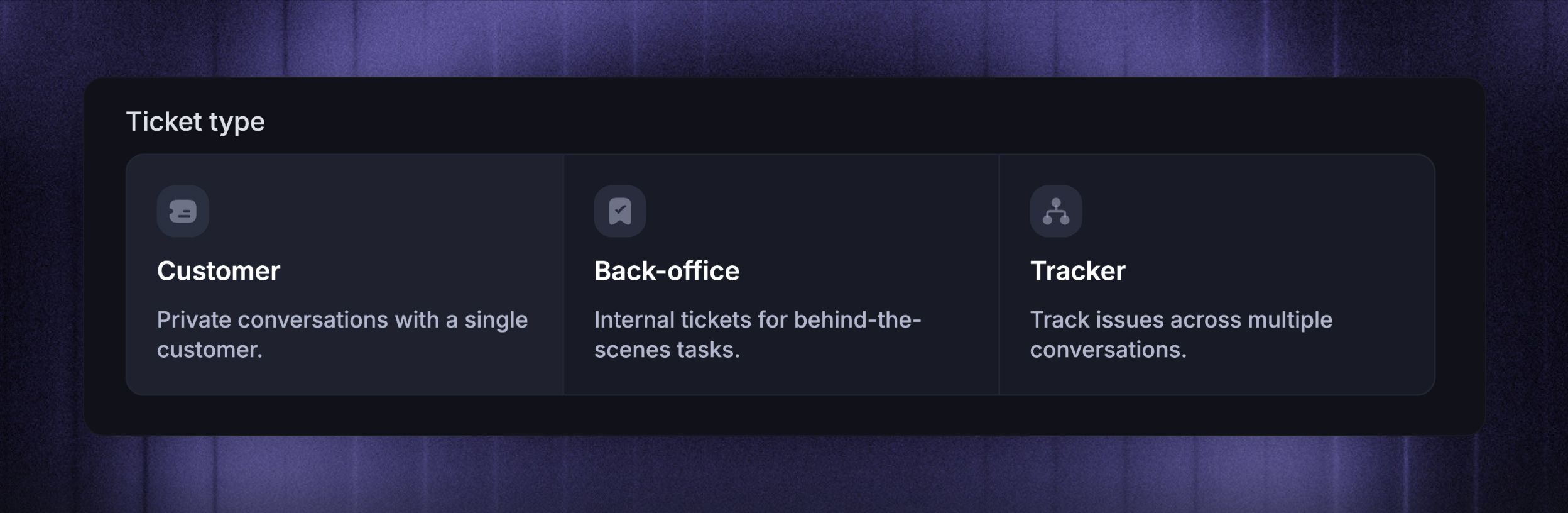
Complex queries come in different shapes and sizes. That's why Featurebase offers 3 ticket categories, each optimized for a different use case:
Customer tickets - private conversations between your team and a customer for async requests where the customer can track progress and receive updates. Best for refund requests, account changes, and any other issues where users need visibility into progress.
Back-office tickets - internal tickets for behind-the-scenes collaboration across teams, without involving the customer. Best for engineering escalations, billing investigations, etc.
Tracker tickets - internal tickets for shared issues affecting multiple customers. When you update the status of a tracker ticket, it automatically updates all linked customer tickets at once. Best for tracking known bugs and service outages.
Learn more about the three ticket types →
Ticket Portal
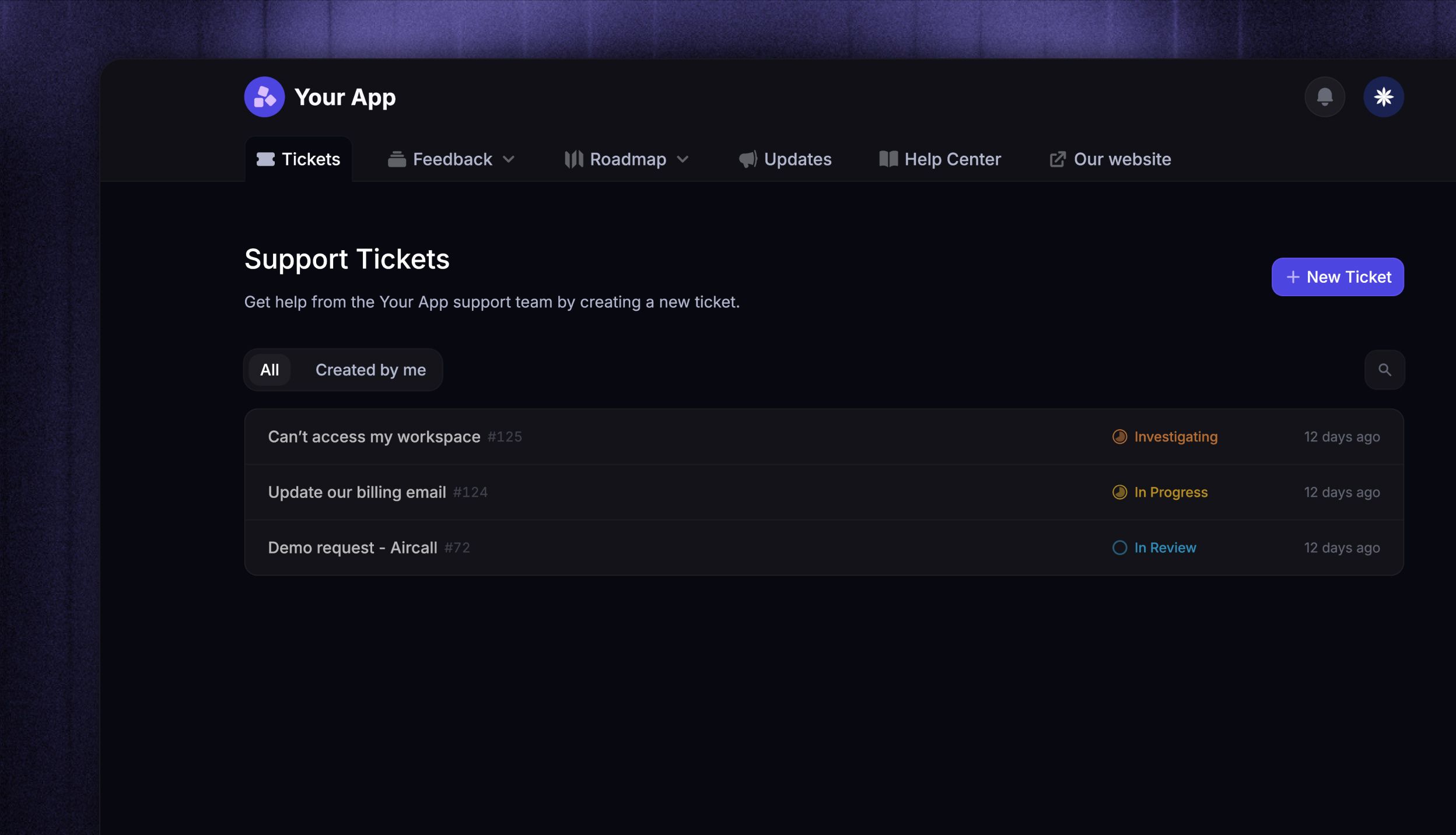
The Ticket Portal is a dedicated page where customers can submit new tickets, view existing ones, and track progress. It lives alongside your Feedback board, Changelog, and Help Center, so everything is in one place for your customers.
Learn more about the Ticket Portal →
Tickets in Messenger
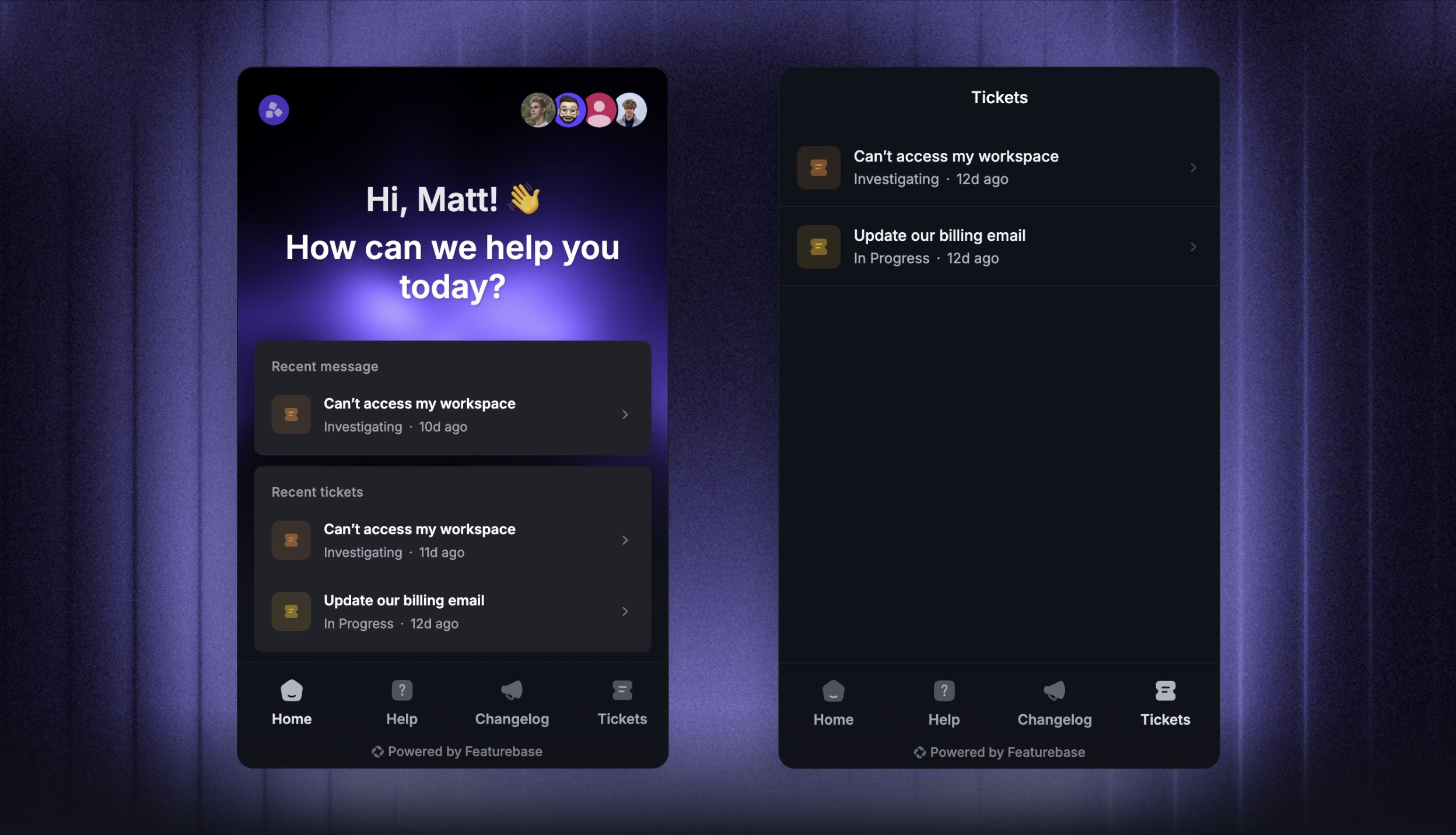
The Messenger widget now supports a dedicated Tickets tab where customers can view their tickets, see real-time status updates with a visual progress bar, and follow up on requests - all without leaving your product.
Fully integrated with the Featurebase suite
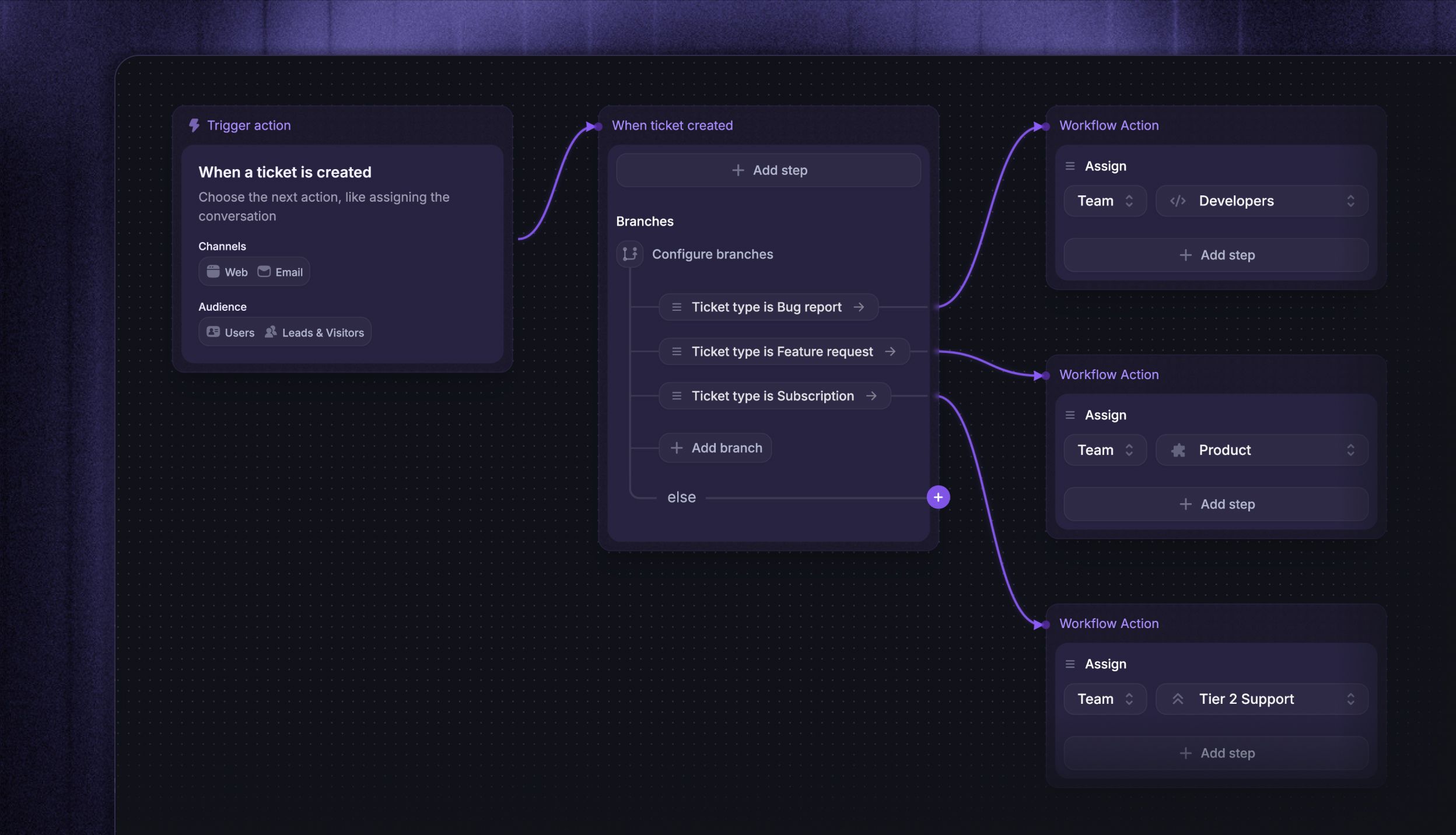
Tickets work with everything you already use in Featurebase:
Workflows - automate ticket routing, auto-close stale tickets, send ticket forms in the Messenger, or convert conversations to tickets automatically
Integrations - connect tickets with Linear, Jira, HubSpot, ClickUp, GitHub, and more to streamline collaboration across tools
Feedback portal - Our AI automatically suggests users to post ticket topics (e.g. bug report/refund request) under the dedicated Ticket Portal, making sure your public Feedback forum doesn’t get cluttered with sensitive issues
SLAs - set ticket SLAs to track your team's response and resolution times
Multilingual support - Automatically translate customer tickets to provide in users native languages
Lite seats - let back-office teams access Featurebase for free as collaborators to help resolve tickets
User & Company profiles - all tickets appear as a dedicated tab in user and company profiles for full customer context
Multi-brand - create and manage tickets across multiple brands from a single workspace