Changing your subdomain
Learn to change your public portal's subdomain.
Written By Markus Palm
Last updated 5 months ago
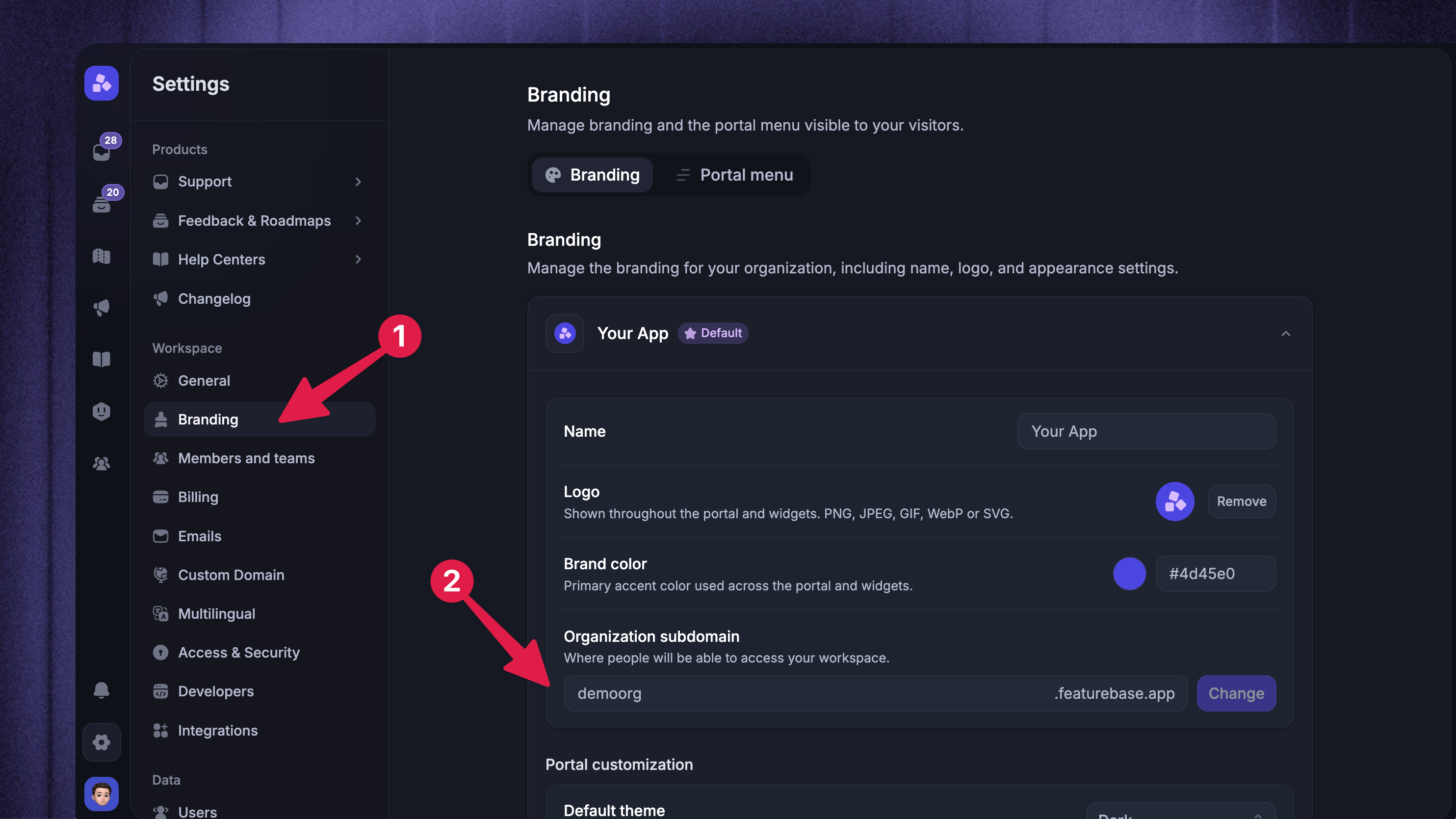
To change your subdomain (the part in front of .featurebase.app in URL):
Go to Settings → Branding
Open your default brand (it’s shown automatically)
Under Organization subdomain, enter your new subdomain
Click Change (or press Enter)
KEEP IN MIND: If you have already set up the Featurebase SDK or any of the widgets, you must update their initialization code to reflect the new subdomain in the organization field. Refer to the Developer Docs for more information.