Setting a custom OG featured image
Customize the featured image of your Featurebase portal link preview.
Written By Bruno H
Last updated 2 months ago
By default, featured images are automatically generated as previews for posts, updates, help articles, etc. An example of a completed posts link preview:

However, you can upload a custom (OG) image specifically for your Portal’s root page (e.g., feedback.yourdomain.app). Note that this will not work with individual posts, articles, etc - only the main root.
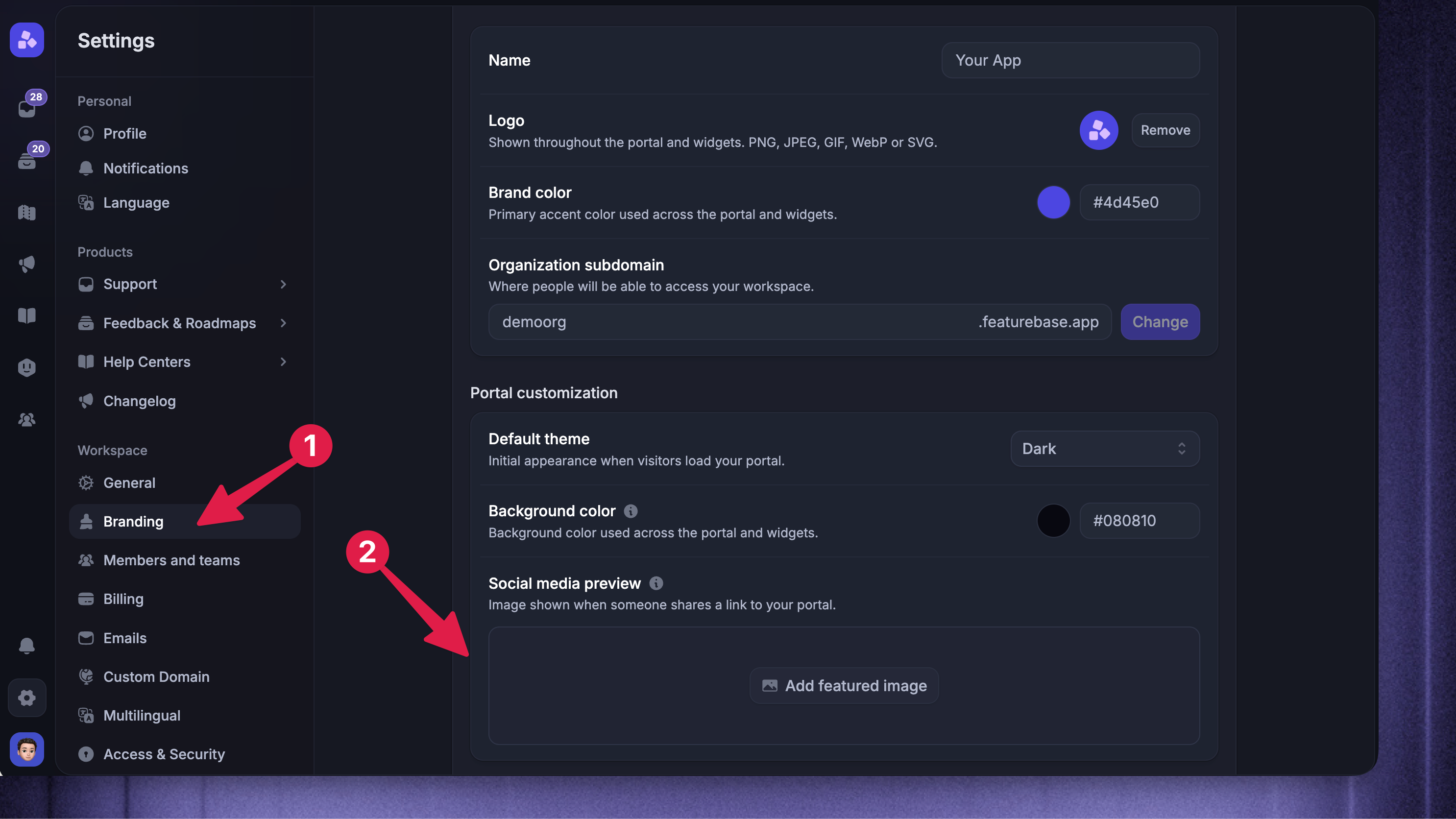
To set a featured OG image for social media link previews:
Go to Settings → Branding
Open the brand you want to update – your default brand is shown automatically
Click Add featured image and upload your file. The change saves automatically.
This image will be used when sharing your Public Portal (root) link on social media. The recommended image size is 1200×630.