Transfer ownership of the Workspace
Make another user the owner of your Featurebase workspace.
Written By Robi Rohumaa
Last updated 4 days ago
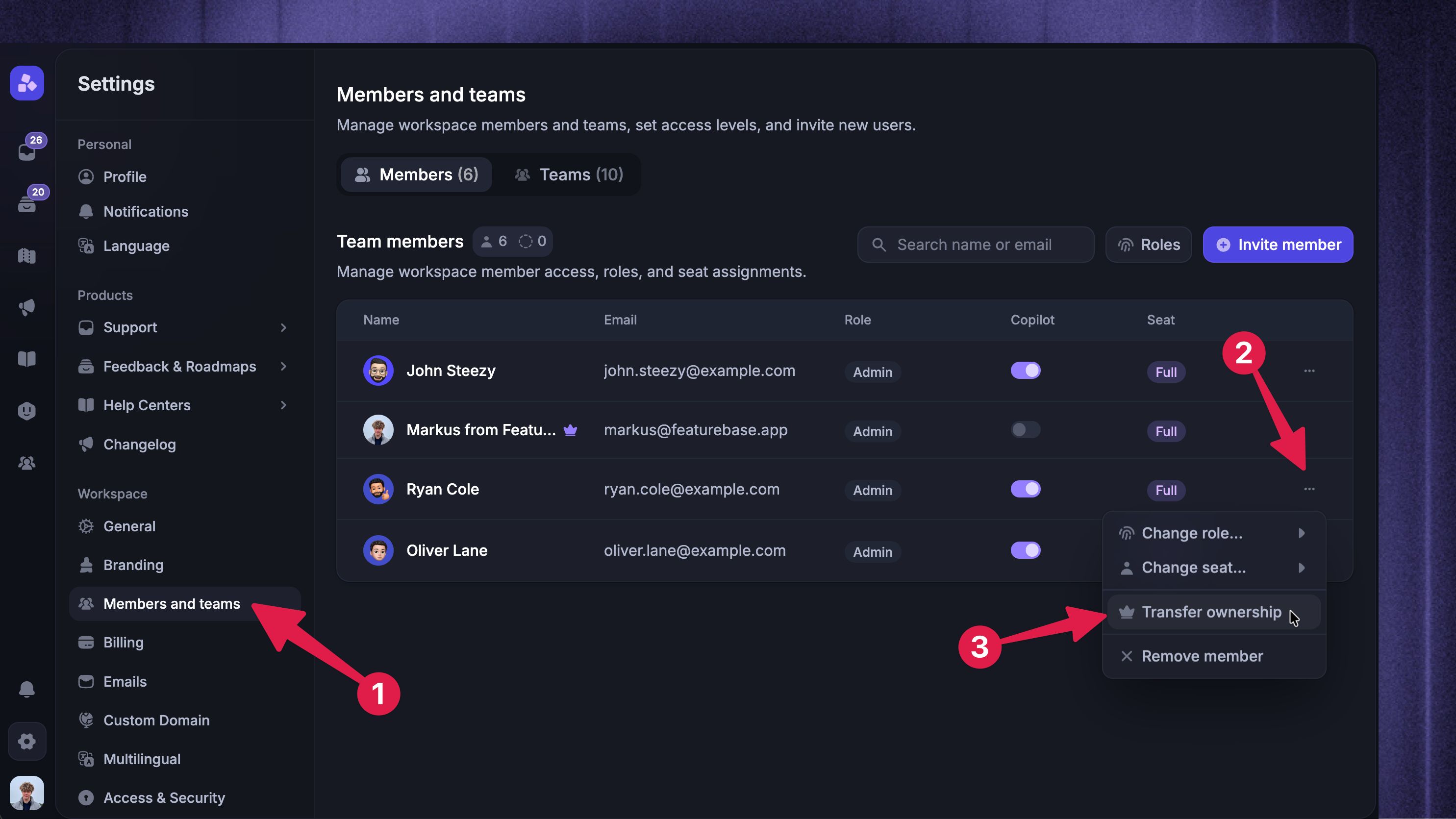
To transfer your Featurebase account to another user, please follow these steps:
If you have not already added the person you wish to transfer ownership to, please add that person as an admin by following the Invite your team guide.
Click the
•••three dots next to the teammateChoose ‘Transfer ownership’ to transfer ownership to another teammate
FAQ
I cannot see the crown icon when trying to transfer ownership
I cannot see the crown icon when trying to transfer ownership
This most likely means you are not logged in as the current owner of the Workspace. Please ensure that you are logged in as the owner to transfer the account to another person.
How can I see who the current owner of my Workspace is?
How can I see who the current owner of my Workspace is?
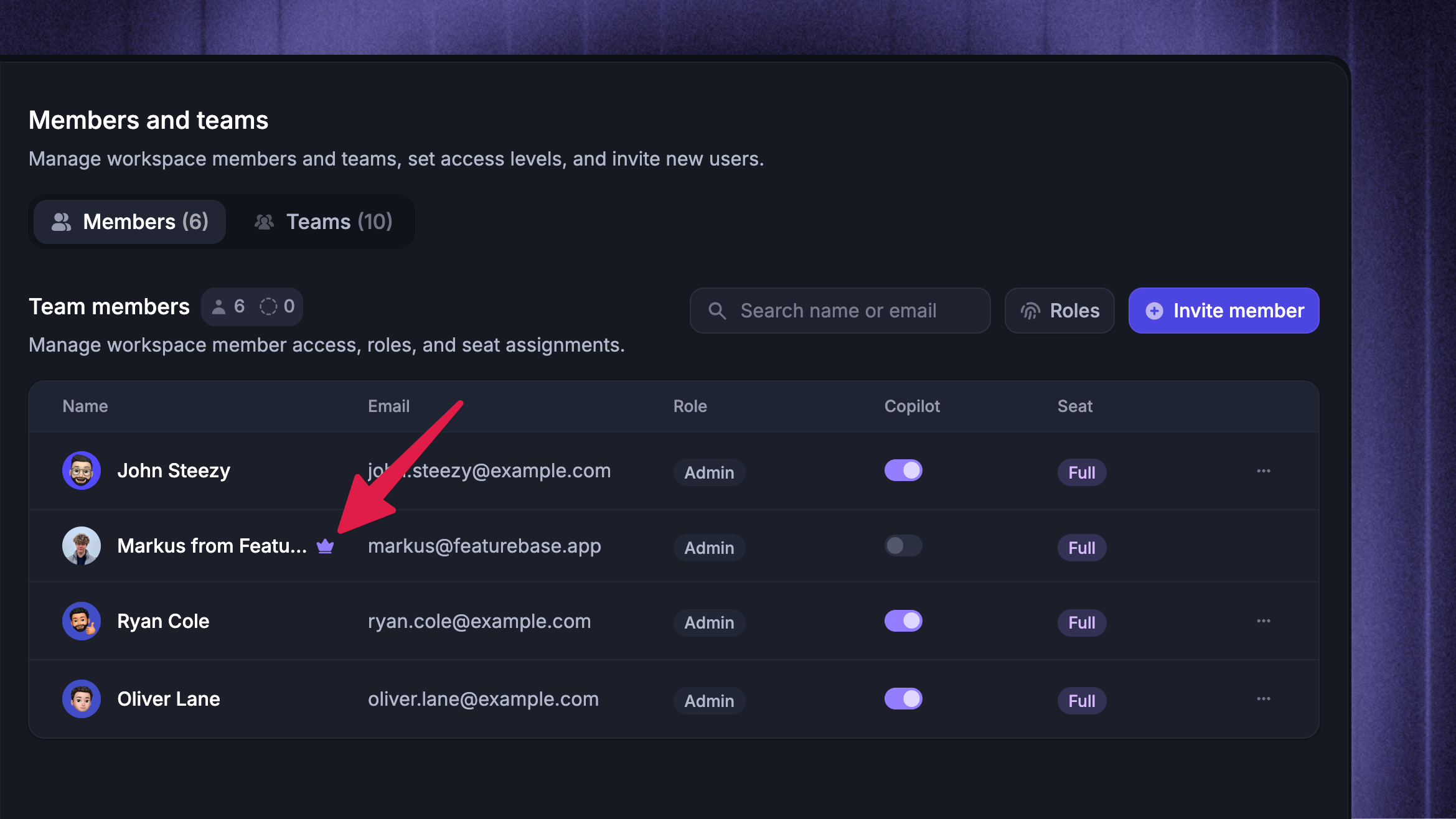
To check who the current owner of the Workspace is, find the user in the admins list that has a crown icon next to their name.
Still need help? Ask the team