Updates

Follow new updates and improvements to Featurebase.

July 27th, 2026

New

Support suite

Hey there - Reports are finally here!

Featurebase Reports is our new analytics product that gives your team one place to monitor, analyze, and improve your entire customer service operation.

It brings together data about your conversations, AI agent, SLAs, and more, with instant insights, customizable reports, real-time metrics, and actionable CSAT.

You can drill into any number, share reports with your team, export to CSV, or analyze it all with AI through our MCP.


Start with 12 built-in templates

Reports comes with 12 built-in templates to get you started immediately.

  • AI performance - see how your Fibi AI Agent and Copilot perform, from resolution and deflection rates to answer quality and time saved

  • Team performance - track first response times, resolution rates, and CSAT by whole teams or individual teammates

  • CSAT, SLAs & tickets - track CSAT scores, SLA hits and breaches, and ticket volume and resolution times

  • Topics & trends - see which topics and product areas drive the most volume automatically with AI-detected attributes.

And a ton more. Every template can be fully edited and customized to your needs!


Build your own custom reports

Go beyond the templates and build completely custom reports and dedicated dashboards for your team:

  • Customizable layouts - drag, drop, and resize charts into the view your team needs

  • Chart library - visualize any metric with 9 chart types: KPI, column, bar, donut, line, area, combo, heatmap, and table

  • Breakdowns - group by time, teammate, team, tag, or custom attribute, and filter at report or chart level

Custom reports help you answer any question your team has, from CSAT by customer segment to how Fibi is trending week over week.


Drill into any number

Explore every datapoint and the details behind your metrics. Dive deeper into trends, uncover root causes, and make data-driven decisions.

  • Chart drill-in - click any chart, bar, or point to see the conversations and data behind it

  • Data filters - narrow by teammate, tag, channel, custom attribute, or date range to isolate what you need

  • Conversation preview - open a full conversation inline to see the context behind a row, or jump straight to it in your Inbox

  • CSV export - download the underlying rows with the columns you choose

Best of all, the Featurebase MCP and API let you analyze all your support data from Claude, ChatGPT, create custom artifacts, and much more.


Share & control access

Share any report with your team and stay in full control of who sees what:

  • Granular access - use customizable access levels, from full editing to view-only

  • External share links - send read-only snapshots to anyone outside your workspace

  • Scheduled delivery - send fresh snapshots via email to teammates on a custom cadence

For example, managers can create and share a private report for a 1:1 or set up a recurring weekly email with high-level metrics for management.


Get started with Reports today β†’

This was one of our biggest builds yet and took us a long time to get right, but it was so worth it. We're super happy with how it turned out and hope you enjoy it!

And as always, leave us feedback! πŸ’«

July 14th, 2026

New

Improved

Support suite

We've introduced multiple improvements across the Support Inbox to help your team work through Conversations faster, keep queues clean, and manage customer context with less manual work.


Inbox spam filter

Your Inbox now has spam detection to automatically filter unsolicited emails before they reach your team's active queue or trigger a reply from Fibi AI.

When enabled, our system and Fibi AI detect phishing, auto-replies, scams, unsolicited sales outreach, and bulk email, and automatically route them to the new Spam inbox to reduce clutter.

You can:

  • Define your own Spam guidance and test sample emails before setting it live

  • Add trusted email addresses or domains that should always reach your Inbox

  • Mark unwanted email Conversations as spam after they reach the Inbox

  • Restore or delete blocked emails

If a customer sends a genuine follow-up to a Conversation marked by Fibi, Fibi can automatically clear the spam flag and resume handling it.


Inbox bulk actions

You can now bulk-select Conversations and update them at once, helping your team work through busy queues faster:

  • Select individual Conversations, Shift-click a range, or select all currently loaded Conversations

  • Assign Conversations to teammates or teams

  • Send a reply or add an internal note to every selected Conversation

  • Add tags, snooze, change priority, and close or reopen Conversations

  • And much more

Press ⌘/Ctrl + K while Conversations are selected to open the complete bulk action menu.


Conversation attributes

Conversation attributes (CvDAs) now work across more of Featurebase, helping you organize your Inbox, automate routing, and analyze support at scale:

  • Filter Inbox searches by attributes such as issue type, urgency, or product area

  • Create custom Inbox views based on attribute values

  • Set and update attributes with Workflows, or use them in Conditions, Branches, and Apply rules

  • Read and filter Conversations by attributes through the Featurebase MCP and API

Fibi AI Attributes work across these features too, so AI-detected context can feed directly into your Inbox views and Workflows.


Manage conversation & ticket participants

You can now add and remove participants from existing conversations without starting a separate thread.

Open 'Manage participants' from the Conversation header or ⌘/Ctrl + K to:

  • Search for an existing user or add someone new

  • Give new participants access to the Conversation and include them in future replies

  • Remove participants who no longer need access

Featurebase also records participant changes in detailed events, so your team can see who was added or removed.


Other improvements

  • Pinned Inbox fields are now saved per teammate and stay consistent across devices

  • Featurebase MCP can now better edit Help Center articles without changing the surrounding content or formatting

  • Conversations are now automatically unassigned when the assigned teammate is removed from the Workspace

  • And other minor improvements


We wish all of you a wonderful summer and as always, leave us feedback! 🌊

July 7th, 2026

New

Product suite

Support suite

Outbound is here. Onboard, educate, and notify your customers with in-context, automated messages that cut support volume and keep customers happy.

Reach the right people at the right moment, inside your product, in the Messenger, by email, or through Updates, then create, target, schedule, and measure every message from one dashboard.


5 ways to reach your customers

Pick the format that fits the moment:

  • Chat - start a targeted Messenger conversation while someone is active in your product, with replies that flow into your Inbox

  • Banner - keep an important notice visible at the top or bottom of your site or app

  • Email - reach users in their inbox when the message shouldn't wait for their next session

  • Survey - collect structured, in-context feedback without sending people to a separate form

  • Updates (previously Changelog) - publish release notes to your Updates page, in-app widgets, and email subscribers

Whatever you're announcing, onboarding, or asking, there's a message type built for it.

Already using Surveys or Changelog? Both are now part of Outbound, and everything you've built carries over.


Precise targeting & flexible scheduling

Decide exactly who sees each message, where, and when.

  • Target by audience type (users, leads, and visitors) and customer attributes, with grouped AND/OR rules

  • Trigger in-app messages by page URL, time on page, or CSS selector

  • Choose dynamic audiences that update as people match, or lock the audience at activation

  • Start now or schedule ahead, send once, on a recurring schedule, or every time someone matches, and limit sends to office hours or custom windows

Show the right message in the right context, instead of blasting everyone at once.


Manage and measure everything in one place

Every Outbound message lives in a single dashboard that your team can filter, sort, and customize.

  • Save views to turn important filters into reusable working lists

  • Track engagement per message, from opens and clicks to replies and survey responses

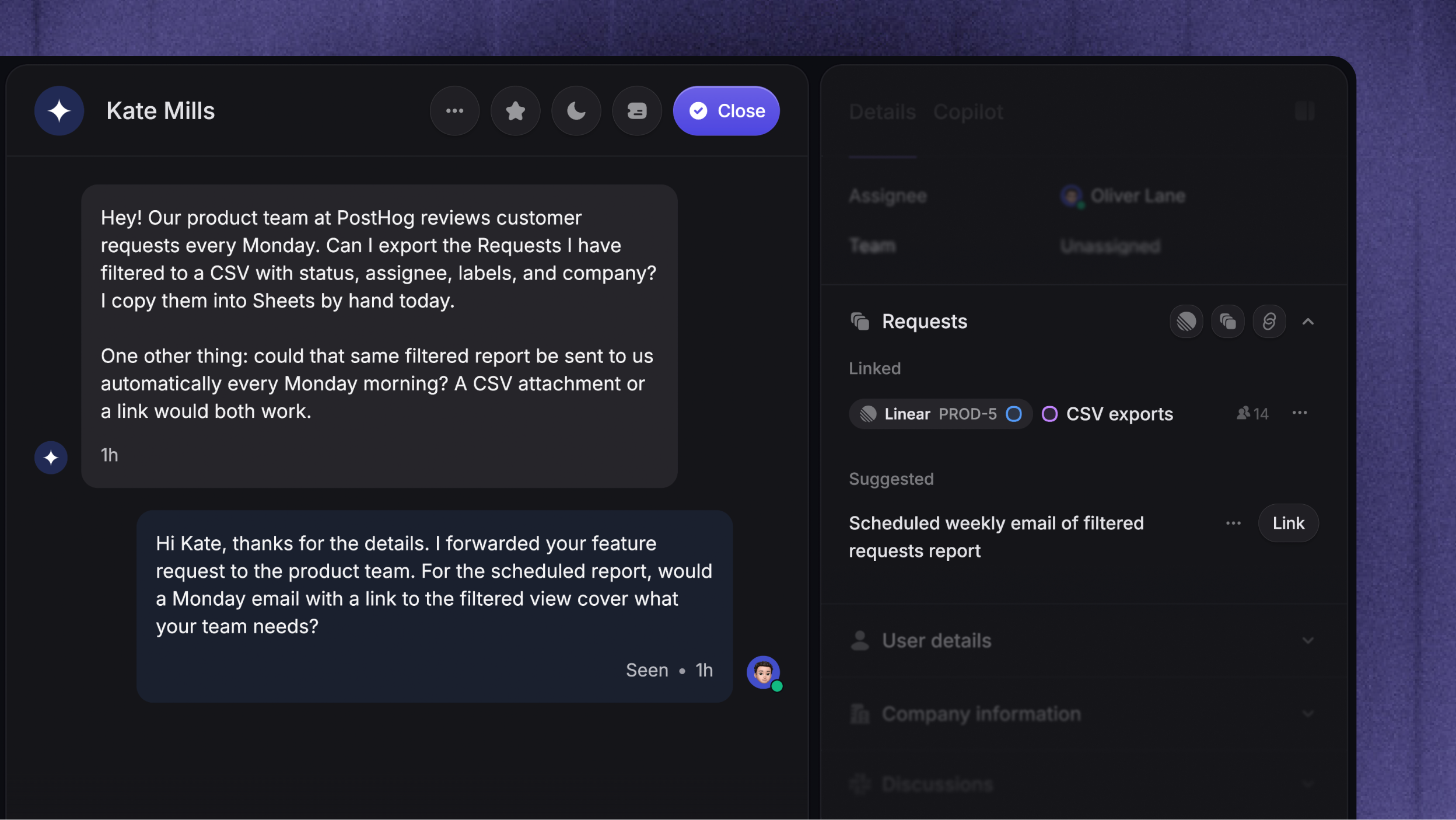
  • Review structured Survey results and export to CSV

  • Localize any message to automatically show in your users’ native languages

Outbound works with the rest of Featurebase from day one: Chat conversations continue in your Inbox, Surveys use your existing Survey widget, and Updates keep their current page, widgets, and subscribers.


Get started with guides from our Outbound documentation.

As always, leave us feedback! πŸ’«

June 18th, 2026

Improved

Support suite

Fibi 3.0 is here with faster answers, higher resolution rates, and more control over how your AI support runs inside Featurebase.

Faster, better performance

Fibi is now significantly more reliable and responds ~4x faster to complex queries and ~2x faster to regular queries.

In addition, Fibi's resolution rate has increased from 50% to 65% across all customer workspaces, helping your team handle more support volume without additional teammate workload.

The Reporting module is also in its final phases and will soon give you deeper visibility into Fibi resolution rates by customer segment, question type, and channel, plus where answers get stuck and what to improve next.


Improve Fibi's AI answers

You can now improve a specific Fibi answer directly from the conversation. When Fibi answers customers, teammates can now click β€˜Improve answer’, describe what went wrong, and use Fibi's suggestions to update the source content.

Fibi can point to the Help Center passage it used, suggest an article change, or turn the correction into a Q&A snippet in Training Data. Each correction improves future answers on the same topic, so your team can keep Fibi accurate from real customer conversations.

Learn more: Improve Fibi's AI answers


Fibi AI attributes

Fibi can now classify incoming conversations based on context. Instead of building rigid Workflow rules for every keyword a customer might use, you can define attributes such as issue type, sentiment, urgency, or spam, and let Fibi detect the correct value from the full conversation.

This lets you route billing questions, urgent issues, frustrated customers, or spam more accurately, even when customers describe the same problem in different ways.

Learn more: Fibi AI Attributes


More Fibi controls

Fibi also has more controls to match your support setup:

These controls help you decide when Fibi should answer, when it should hand off, and when the conversation should close.


Pricing update

Starting July 1, 2026, Fibi AI resolutions will move from $0.29 to $0.49 per resolution for all new and existing customers. This reflects the improvements we have made to Fibi's speed, answer quality, and resolution rate.

You stillΒ only pay when Fibi successfully resolves a conversation, and you are charged at most once per conversation, even if Fibi answers multiple questions.

If you have any questions regarding this update, feel free to reach out to us via support@featurebase.app!


We wish all of you a wonderful summer and as always, leave us feedback! πŸ–οΈ

May 28th, 2026

New

Support suite

You can now save custom Inbox views for the conversations that matter most.

Create views using filters such as status, channels, assignees, tags, SLA, and more. Then pin your most important views to the sidebar for quick access.

Views are shared across your workspace, so teammates can pin the ones they need without rebuilding the same filters from scratch.

Some useful views to try:

  • πŸͺ² Bug reports -Β All conversations tagged as bug reports, or messages that mention β€œbug”.

  • 🎟️ Tickets only - A focused view for tickets, with regular support conversations filtered out.

  • ⏰ Stale conversations - Conversations that have not had a reply in a while, so nothing slips through.

  • 🚨 High priority - Combine priority, SLA due time, and waiting-since filters to keep urgent work visible.

Learn more & get started: Organize your Inbox with custom views

May 4th, 2026

New

Product suite

Support suite

Hey there,

Featurebase MCP is finally here! You can now connect to Featurebase directly in your favorite tools, like Claude, ChatGPT, and Cursor.

Ask things like β€œWhat top paying customers are at risk of churning” or β€œUpdate all help center articles with the latest information about XYZ”. It uses all the available data in your Featurebase workspace to conduct deep research or take any action you need.

The possibilities are endless - analyze feedback or latest conversations, edit your Help Center, automate reporting about a certain topic, and connect with other AI tools – in a simple conversation.

The MCP server is built directly on top of our public API, so anything you can do through the API, an AI agent can now do for you. No custom integrations or code needed.

Available on the Professional plan. Get started todayΒ β†’

April 21st, 2026

New

Improved

Product suite

Hey there!

Excited to bring you three quality-of-life improvements focused on making Featurebase faster to navigate day-to-day.

It’s the start of stepping back and polishing the overall experience, and you can expect more like this in the near future as we keep tightening things up.


Command-K action menu

Hit ⌘+K (or Ctrl+K on Windows) from anywhere in a conversation to open the new action palette. It lets you run all the key actions in your inbox with just your keyboard.

You can:

  • Compose replies, notes, macros, or AI responses

  • Assign to teammates, teams, or brands

  • Update statuses, set priority, copy transcripts

  • Convert conversations to customer or back-office tickets

  • Link tracker tickets (internal or public) right from the palette

It replaces the old basic ⌘+K with a single shortcut for almost anything you do inside a conversation.


Keyboard shortcuts

Keyboard shortcuts illustration.

Featurebase now also has keyboard shortcuts throughout the support inbox. A few of the most useful ones:

  • R - Compose a reply

  • N - Compose a note

  • M - Use macro

  • Q - Draft an AI reply

  • Z - Snooze

  • A - Assign

  • J / K - Move between conversations

  • [ / ] - Toggle sidebars

…and plenty more. Press ? anywhere in the inbox to open the full cheatsheet.


Settings rework

Settings rework illustration.

Lastly, we've improved the Settings to make them simpler, faster, and much less cluttered as Featurebase has grown.

  • Four clear sections: Personal, Products, Workspace, and Data

  • Settings for products you don't use stay collapsed, so you only see what's relevant

  • Consistent layout, icons, and sub-navigation across every page

Everything you'd expect to find is still there, just in the place you'd actually look for it!


Other

April 14th, 2026

New

Support suite

Not every customer issue is a quick chat. Some take time, need input from multiple teams, or affect many customers at once. That's where tickets come in.

Tickets let you turn conversations into structured, trackable work items with statuses, assignees, and custom fields - so your team stays organized and your customers stay in the loop throughout the entire resolution process.

Your Featurebase Inbox now handles both:

  • Conversations - for simple queries that can be handled quickly (e.g. "How do I delete tags?")

  • Tickets - for complex async queries that take time, require investigation, or need collaboration (e.g. "My bill is incorrect, please issue a refund.")


Three ticket types for every workflow

Different ticket types.

Complex queries come in different shapes and sizes. That's why Featurebase offers 3 ticket categories, each optimized for a different use case:

  • Customer tickets - private conversations between your team and a customer for async requests where the customer can track progress and receive updates. Best for refund requests, account changes, and any other issues where users need visibility into progress.

  • Back-office tickets - internal tickets for behind-the-scenes collaboration across teams, without involving the customer. Best for engineering escalations, billing investigations, etc.

  • Tracker tickets - internal tickets for shared issues affecting multiple customers. When you update the status of a tracker ticket, it automatically updates all linked customer tickets at once. Best for tracking known bugs and service outages.

Learn more about the three ticket types β†’


Ticket Portal

Public tickets portal.

The Ticket Portal is a dedicated page where customers can submit new tickets, view existing ones, and track progress. It lives alongside your Feedback board, Changelog, and Help Center, so everything is in one place for your customers.

Learn more about the Ticket Portal β†’


Tickets in Messenger

Tickets in the Messenger widget.

The Messenger widget now supports a dedicated Tickets tab where customers can view their tickets, see real-time status updates with a visual progress bar, and follow up on requests - all without leaving your product.


Fully integrated with the Featurebase suite

Tickets in workflows.

Tickets work with everything you already use in Featurebase:

  • Workflows - automate ticket routing, auto-close stale tickets, send ticket forms in the Messenger, or convert conversations to tickets automatically

  • Integrations - connect tickets with Linear, Jira, HubSpot, ClickUp, GitHub, and more to streamline collaboration across tools

  • Feedback portal - Our AI automatically suggests users to post ticket topics (e.g. bug report/refund request) under the dedicated Ticket Portal, making sure your public Feedback forum doesn’t get cluttered with sensitive issues

  • SLAs - set ticket SLAs to track your team's response and resolution times

  • Multilingual support - Automatically translate customer tickets to provide in users native languages

  • Lite seats - let back-office teams access Featurebase for free as collaborators to help resolve tickets

  • User & Company profiles - all tickets appear as a dedicated tab in user and company profiles for full customer context

  • Multi-brand - create and manage tickets across multiple brands from a single workspace


Get tickets that keep the conversation going

✨ Get started with tickets today β†’

March 9th, 2026

New

Improved

Hey there from earth!

Dynamic variables are here. You can now personalize messages, changelogs, surveys, and more by automatically inserting customer data like {first_name} and {company_plan} details.

Just type { in the editor to insert a variable. You can also set a fallback value so even if customer data is missing, your messages always read naturally.

You can use dynamic variables in:

  • Macros and message templates

  • Workflows

  • Changelogs and Surveys

  • Messenger greetings

Make every customer interaction feel personal, without the manual work!

Learn more: Dynamic variables in Featurebase


Other releases

March 4th, 2026

New

Improved

We've made it easier to keep your user data clean and give your team more context when helping customers.

Merge user profiles

Merge duplicate user profiles.

You can now merge leads into existing user profiles so all conversations, attributes, and history are stored in one place.

You can merge profiles in two ways:

  • Manually update a lead’s email in their profile to match an existing user

  • Merge potential duplicates directly from the Inbox when a duplicate warning appears during a conversation

In many cases, profiles will also merge automatically thanks toΒ browser cookies.

Learn more hereΒ β†’


More automatically captured lead data

Recent page views in the support inbox.

The Messenger now automatically collects metadata about your contacts, helping your team provide faster and more relevant support without asking extra questions.

You'll now see:

  • Recent page views - see exactly what pages someone was browsing before reaching out

  • Browser info - name, version, and language settings

  • System info - operating system and location details

  • Language preferences - any language override settings if set

This data is automatically captured when someone interacts with the Messenger on your website.


Other