Inbox improvements: Spam filtering, bulk actions & more
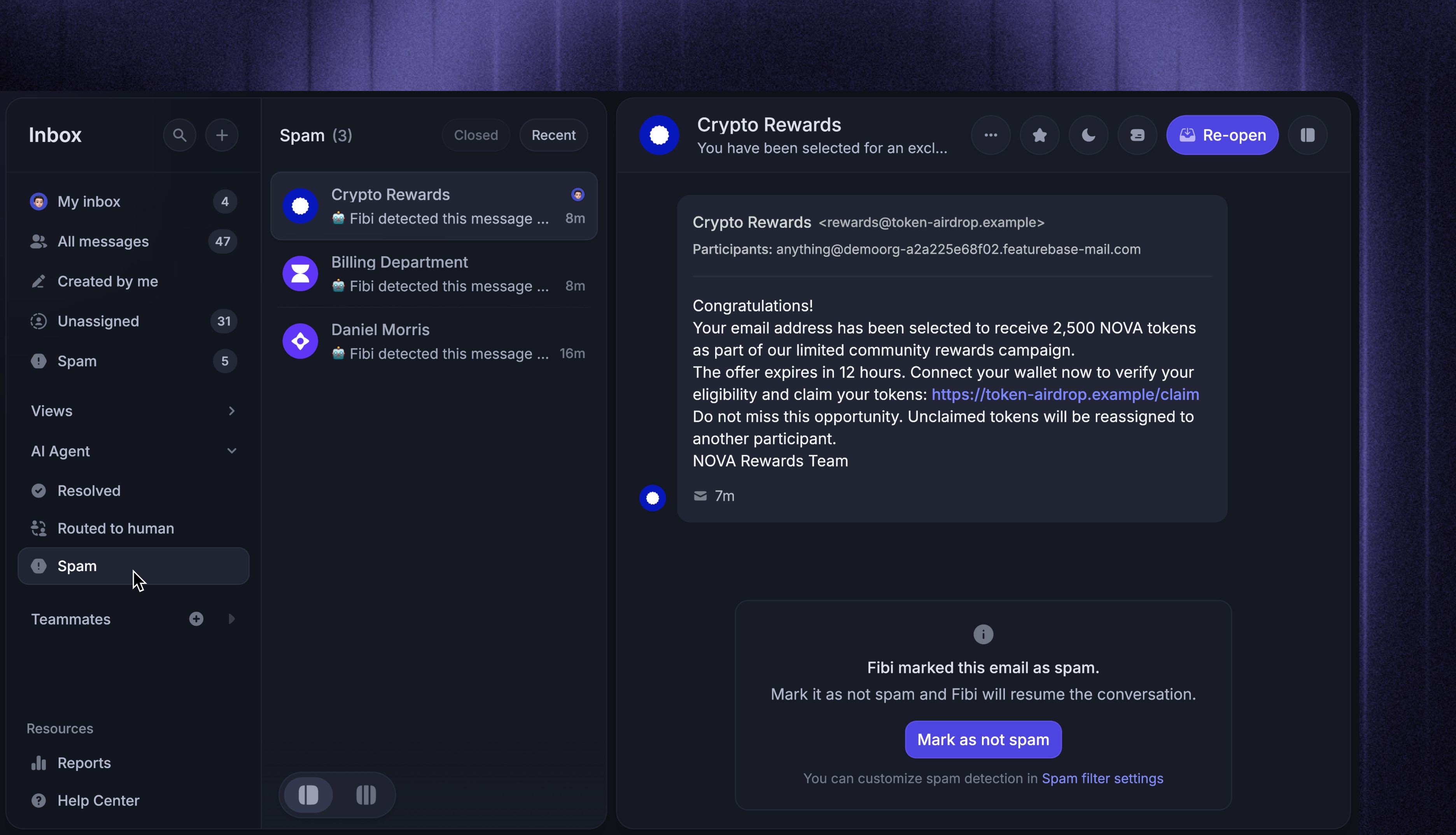
We've introduced multiple improvements across the Support Inbox to help your team work through Conversations faster, keep queues clean, and manage customer context with less manual work.
Inbox spam filter

Your Inbox now has spam detection to automatically filter unsolicited emails before they reach your team's active queue or trigger a reply from Fibi AI.
When enabled, our system and Fibi AI detect phishing, auto-replies, scams, unsolicited sales outreach, and bulk email, and automatically route them to the new Spam inbox to reduce clutter.
You can:
Define your own Spam guidance and test sample emails before setting it live
Add trusted email addresses or domains that should always reach your Inbox
Mark unwanted email Conversations as spam after they reach the Inbox
Restore or delete blocked emails
If a customer sends a genuine follow-up to a Conversation marked by Fibi, Fibi can automatically clear the spam flag and resume handling it.
Inbox bulk actions

You can now bulk-select Conversations and update them at once, helping your team work through busy queues faster:
Select individual Conversations, Shift-click a range, or select all currently loaded Conversations
Assign Conversations to teammates or teams
Send a reply or add an internal note to every selected Conversation
Add tags, snooze, change priority, and close or reopen Conversations
And much more
Press ⌘/Ctrl + K while Conversations are selected to open the complete bulk action menu.
Conversation attributes

Conversation attributes (CvDAs) now work across more of Featurebase, helping you organize your Inbox, automate routing, and analyze support at scale:
Filter Inbox searches by attributes such as issue type, urgency, or product area
Create custom Inbox views based on attribute values
Set and update attributes with Workflows, or use them in Conditions, Branches, and Apply rules
Read and filter Conversations by attributes through the Featurebase MCP and API
Fibi AI Attributes work across these features too, so AI-detected context can feed directly into your Inbox views and Workflows.
Manage conversation & ticket participants

You can now add and remove participants from existing conversations without starting a separate thread.
Open 'Manage participants' from the Conversation header or ⌘/Ctrl + K to:
Search for an existing user or add someone new
Give new participants access to the Conversation and include them in future replies
Remove participants who no longer need access
Featurebase also records participant changes in detailed events, so your team can see who was added or removed.
Other improvements
Pinned Inbox fields are now saved per teammate and stay consistent across devices
Featurebase MCP can now better edit Help Center articles without changing the surrounding content or formatting
Conversations are now automatically unassigned when the assigned teammate is removed from the Workspace
And other minor improvements
We wish all of you a wonderful summer and as always, leave us feedback! 🌊