How to view & download your invoice
Where you can view and download your invoices in Featurebase.
Written By Markus Palm
Last updated 13 days ago
Overview
You'll receive an email notification when you have an invoice ready to view. This will be sent to the Billing contacts you’ve listed in your Billing information. You’ll need to log in to Featurebase to view and download the invoice.
For forgiven invoices, we cannot issue an offsetting invoice, as we did not actually charge you for that period.
Note: We currently do not provide receipts for refunds. The refund on your bank statement will serve as proof of the refund.
View & download invoices
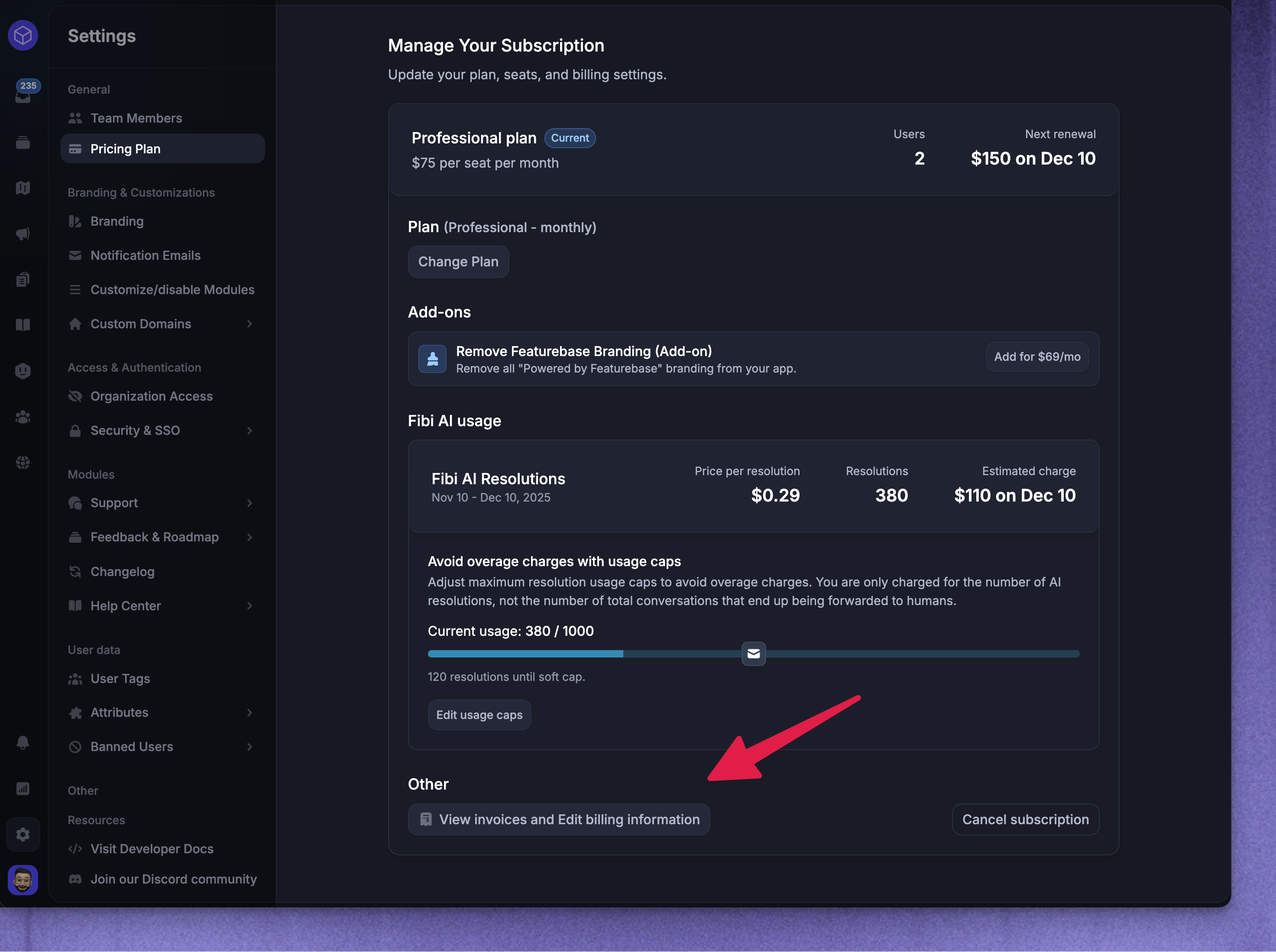
To see and download any of your invoices:
Go to Settings → Billing
Click on “View invoices and Edit billing information”
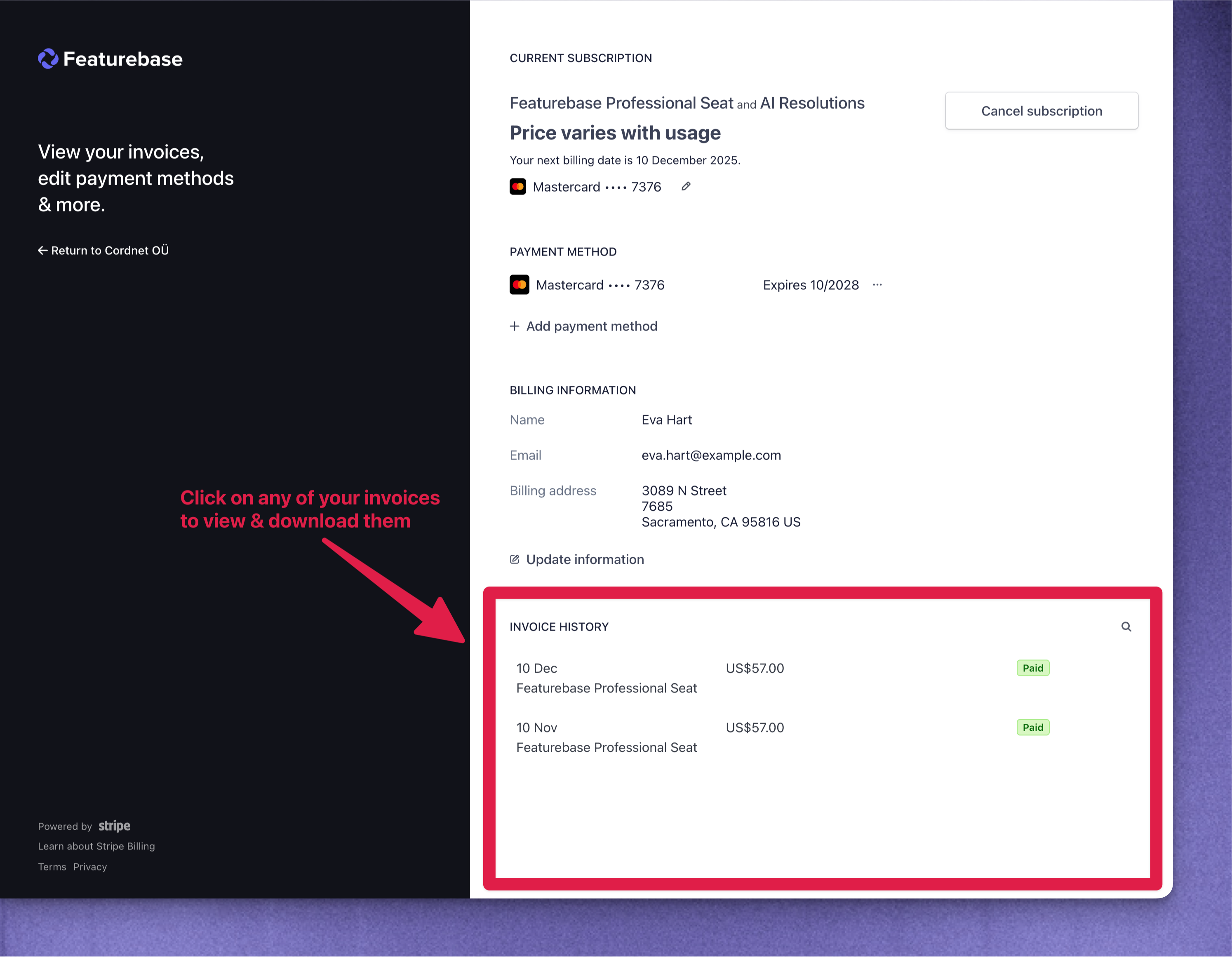
Click on any of your invoices under the Invoice history to view & download them
Failed payment
We will attempt to process payment on invoices up to four times within a 28-day period. If all four attempts fail, the account will be frozen on the 28th day. To resume access, all unpaid invoices must be paid.
Payment can be made by following the link for payment on the invoice or under Settings → Billing by clicking on the “View invoices and Edit billing information” button.
Once payment for all open invoices is completed, your account access will be restored. You may need to hard refresh your browser to see services resume in your workspace.
FAQ
Can I have my invoice sent to a different email address?
Can I have my invoice sent to a different email address?
Yes! To have your invoice sent to a different email address, you can update your billing contact details in your Featurebase billing portal:
Go to Settings → Billing
Click on “View invoices and Edit billing information”
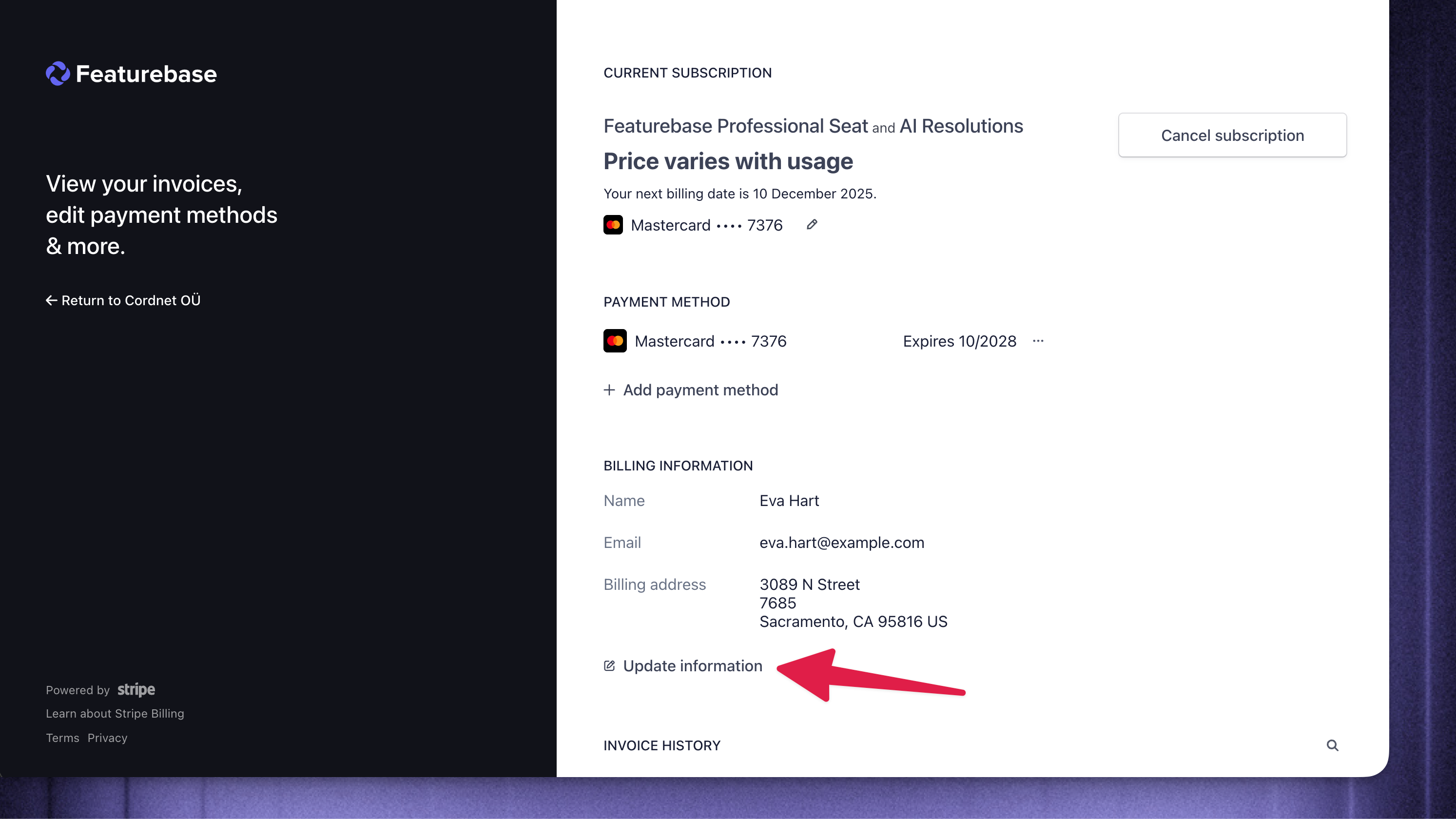
Click “Update information” in the Billing portal view
Change the billing email address
Once added, future invoices will be automatically sent to that address instead.
How can I access invoices without full admin permissions?
How can I access invoices without full admin permissions?
Ask a Workspace admin to give you a role with the Manage Billing permission. Both Full and Lite seats can access billing with this permission.
Once you have access, follow the invoice download steps above. If you only need a copy of an invoice, an admin can download and send it to you.
Was this helpful?
Still need help? Ask the team