Messenger in multiple languages
Localize the Messenger to be automatically in your customers' native languages.
Written By Markus Palm
Last updated 13 days ago
Overview
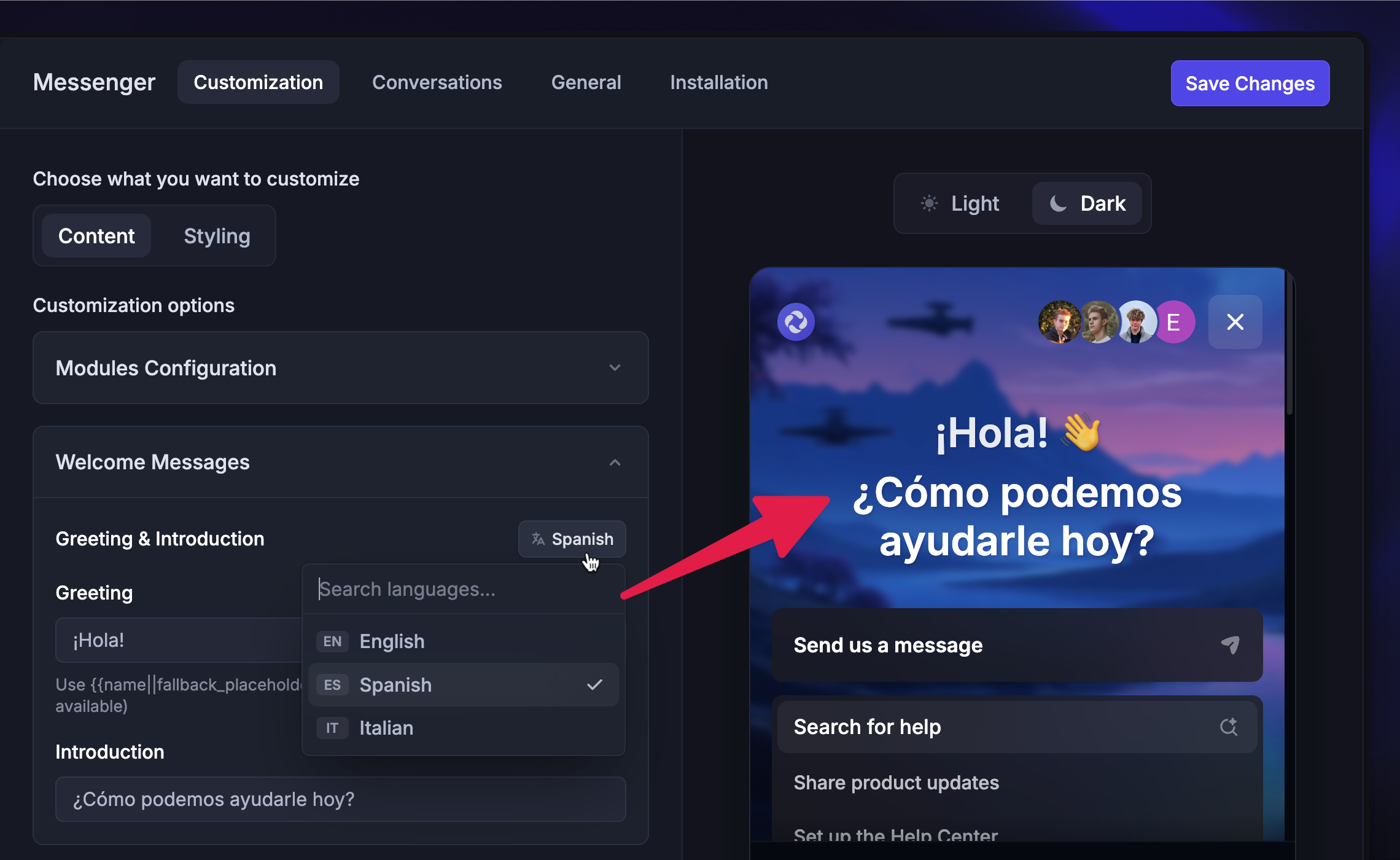
You can set up your Messenger to support multiple languages. The messenger will automatically default to users’ language based on their browser’s language settings. If you don't enable their language, the portal will localize to the default language you've chosen.
Configuring Messenger languages
To add additional languages to your Messenger:
Go to Settings → Support channels → Messenger and open Content
Under Language Settings, click
+ Add LanguageFrom the dropdown, select your desired language(s)
Choose which language should be the default
Click ‘Save Changes’ from the top right
The default language should be the one most of your users speak. It’s also the fallback language for visitors whose browsers are set to unsupported languages.
Translating the Messenger

There are different parts of Messenger that you can now localize:
Go through these options to add translations for each added language.
FAQs
What should I choose as the default language for my Messenger?
What should I choose as the default language for my Messenger?
The default language should be the one the majority of your users speak. It’s also the fallback language for visitors whose browsers are set to unsupported languages.
How does localization work with the Article Search card?
How does localization work with the Article Search card?
If you've translated both the Messenger and your Help Center, the content shown in the Article Search card will match your user's browser language.
If you don't support your user's browser language, the default language of your Help Center will be shown. By default, this is English.
Was this helpful?
Still need help? Ask the team