What are in-app widgets?
Overview of all embeddable widgets in Featurebase and what you can do with them.
Written By Markus Palm
Last updated 12 days ago
Overview
In-app widgets are one of the most effective ways to provide support, collect feedback, and communicate updates directly within your app, reducing friction.
Messenger Widget - Super customizable & feature-packed live chat widget that also supports help center, feedback collection, and Updates. (on the screenshot)
Feedback widget - Collect feedback and bug reports inside your app, with optional screenshots
Updates widgets - Show product announcements inside your app as a card, popup, or dropdown
You can see & try all widgets on our Demo Page →
Messenger Widget
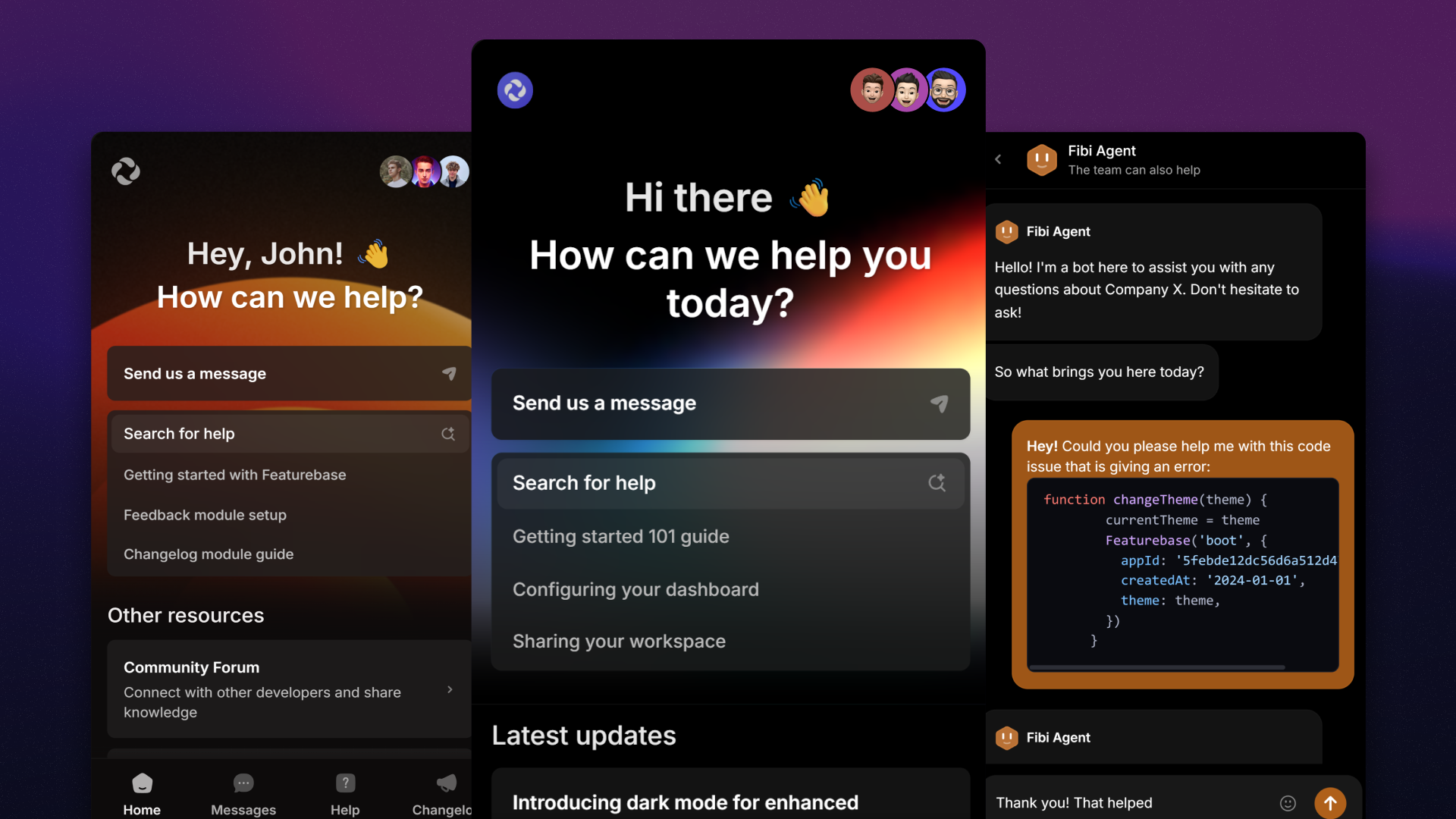
Featurebase’s Messenger is the most customizable live chat widget on the market, designed to fit seamlessly into your brand.
Aside from the live chat, Messenger is deeply integrated with the rest of Featurebase’s ecosystem, so your customers can see your help articles, Updates, submit feedback, and much more.
Install the Messenger and customize its appearance.
Feedback Widget
The Feedback widget lets customers submit Requests without leaving your app.
Screenshots - Let customers attach an image for context
Form fields - Collect the details your team needs
Suggestions - Show similar Requests and Help Center articles while customers write
Appearance - Choose a light or dark theme
Set up the Feedback widget to install it and choose which features to enable.
Updates widgets

Updates widgets bring published announcements into your app. Publish each Update once, then choose how customers see it:
Card widget - Show the latest Update in a small card. Clicking it opens a popup or your Updates page
Popup widget - Show new Updates automatically or open them from a button
Dropdown widget - Let customers browse recent Updates from a button in your app
Install Updates widgets to add your chosen format to your app.
FAQ
How can I collect feedback in an iOS or Android app?
How can I collect feedback in an iOS or Android app?
Embed your Feedback Portal in a WebView inside your app.
Can I use widgets in my language?
Can I use widgets in my language?
Yes, you can translate the Messenger to your customers native languages by following this guide: Messenger in multiple languages
To translate the Feedback and Updates widgets, you can simply add the locale param to their initialization function:
{
// ...other params
locale: "en"
}
Was this helpful?
Still need help? Ask the team